
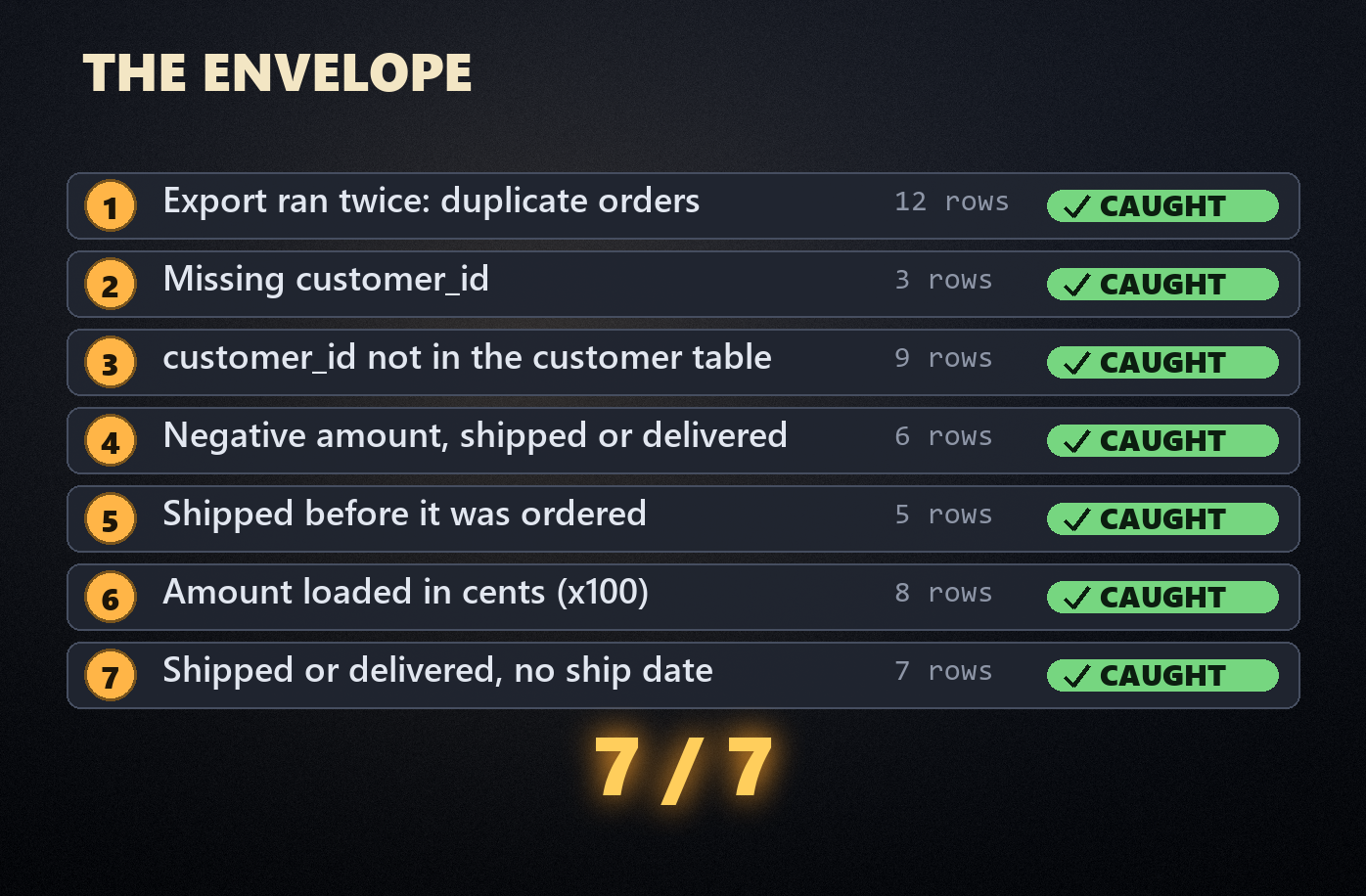
I hid seven bugs in a 5,012-row orders export and asked Claude Code to write the data quality checks that should catch them. I gave it no hints. It caught all seven, then found an eighth that I hadn’t planted.
Below are the seven data quality checks every orders table needs: the SQL for each, the real-world mistake behind it, and how the agent did. After that come the three decisions it made on its own that I wouldn’t let into a nightly job, and the three lines I now add to every prompt. The dataset is a free download at the end, so you can run the same test on your own agent.
The 7 data quality checks every orders table needs
Every check below is a query that returns the rows breaking a rule. Zero rows means pass. That’s the design the agent chose too, and it’s the one I’d copy: adding a check means adding one query, and a failure hands you the exact rows to look at. The SQL runs on SQLite and Postgres with small changes.
1. Duplicate orders (uniqueness)
The usual cause is boring: an export or a retry runs twice. Twelve orders in the test file appear twice.
SELECT order_id, COUNT(*) AS copies
FROM orders
GROUP BY order_id
HAVING COUNT(*) > 1;
Go one step further than the count. The agent also checked whether the copies were identical. They were, which tells you the fix: drop the extras. Duplicates with different values are a different problem (two systems disagreeing about one order), and you don’t want a pipeline picking one at random.
2. Missing required fields (completeness)
Three orders have no customer_id. These usually come from guest checkouts, a failed lookup, or a join upstream that dropped a key.
SELECT order_id, status
FROM orders
WHERE customer_id IS NULL
   OR TRIM(customer_id) = '';
Test for empty strings as well as NULLs. CSV exports turn missing values into empty strings more often than not.
3. Orders pointing at customers that don’t exist (referential integrity)
Nine orders reference customer IDs that aren’t in the customer table. Either the customer table is running behind the orders feed, or test accounts leaked into production. You want to know which before the load, not after.
SELECT o.order_id, o.customer_id
FROM orders o
LEFT JOIN customers c ON c.customer_id = o.customer_id
WHERE o.customer_id IS NOT NULL
  AND c.customer_id IS NULL;
The agent named the whole range of missing IDs, C19001 to C19009. That neat range is a clue in itself. Real orphans tend to be scattered; a tidy block of IDs usually means a batch of test or migrated accounts.
4. Negative amounts on completed orders (validity)
Six shipped or delivered orders have negative amounts: the right figure with the sign flipped. Somewhere upstream, a refund rule or a sign convention got applied to the wrong rows.
SELECT order_id, status, amount
FROM orders
WHERE status IN ('shipped', 'delivered')
  AND amount < 0;
Notice the status filter. In plenty of systems a refund is legitimately negative, so a blanket amount >= 0 check fires on good data. Which statuses can carry a negative amount is a business rule. Ask, don’t guess.
5. Shipped before it was ordered (date consistency)
Five orders have a ship date earlier than their order date. The agent caught all five and added an observation I didn’t expect: several of those ship dates land on the 1st or the 5th of the month, which it read as a default date filling in for a missing one. No rule would have caught that. You’d need someone actually looking at the data.
SELECT order_id, order_ts, ship_date
FROM orders
WHERE ship_date IS NOT NULL
  AND ship_date < DATE(order_ts);
6. Amounts that don’t reconcile (the cents bug)
This is the one I expected to slip through. Eight amounts were loaded in cents instead of dollars. They look like ordinary orders until you do the math: one desk order (three desks at $349, 15% off) says $88,995.00 when it should say $889.95.
A range check won’t reliably catch this, because big orders are real. Rebuilding the amount from its parts will:
SELECT order_id, qty, unit_price, discount_pct, amount
FROM orders
WHERE ABS(amount - qty * unit_price * (1 - discount_pct)) > 0.01;
That’s exactly how the agent found all eight. Watch that 0.01, though. The tolerance is one of the three calls I’d take back, and there’s more on it below.
7. Shipped with no ship date (conditional completeness)
Seven orders are marked shipped or delivered but have no ship date. A plain not-null check on ship_date would fail every pending and cancelled order, which correctly have none. The rule only applies to some statuses.
SELECT order_id, status
FROM orders
WHERE status IN ('shipped', 'delivered')
  AND ship_date IS NULL;
The agent also checked the reverse: pending and cancelled orders must not have a ship date. Both directions matter.
The test: can an AI agent write data quality checks with no hints?
The setup was deliberately plain. A synthetic orders export (5,012 rows) and customer table (820 rows) for a made-up home office store, with seven defects planted across 50 rows. The answer key sat outside the agent’s folder.
The agent was Claude Code on its default model (Opus 5.5 at the time), in a fresh session, in an empty folder. It could read files, write files and run commands. This was the whole prompt:
I've got an orders export (orders.csv) and our customer table (customers.csv) in this folder. Before we load orders into the warehouse each night, I want a data quality check suite. Write it in Python (standard library only, pandas isn't installed; sqlite3 is fine), run it against these files, and give me a short summary of what passed and what failed.
No mention of bugs, defects or what to look for. If you haven’t used one of these tools yet, our explainer on how AI agents work covers what’s happening under the hood.
From the session log: it profiled the data before writing a single check (row counts, headers, three profiling passes), loaded both files into an in-memory SQLite database, wrote 32 checks as SQL queries, ran them, fixed its own amount check and ran them again. Eighteen steps, 2 minutes 40 seconds, and 85 cents at API prices.
The final report: 22 checks passed, 7 failed, 3 warnings, and a clear “do not load”.
The eighth bug, which I didn’t plant
It also warned that three email addresses appear twice in the customer table, each under two different customer IDs. I didn’t plant that. My data generator builds emails from random names and numbers, and three times it produced the same combination. In a real business that’s one person with two accounts, and every customer count you report is too high.
Then it flagged 62 orders with a quantity of exactly 50, spread across every product, as looking like a placeholder rather than real bulk orders. I’d added those as legitimate bulk orders. It was right to be suspicious: they’re made up, and it could tell.
Three calls it made without asking
My verdict is 9 out of 10. For a first draft written in under three minutes, that’s excellent. The missing point is about decisions it made on its own. None of them is wrong today, and all three are why I wouldn’t schedule this suite without reading it first.
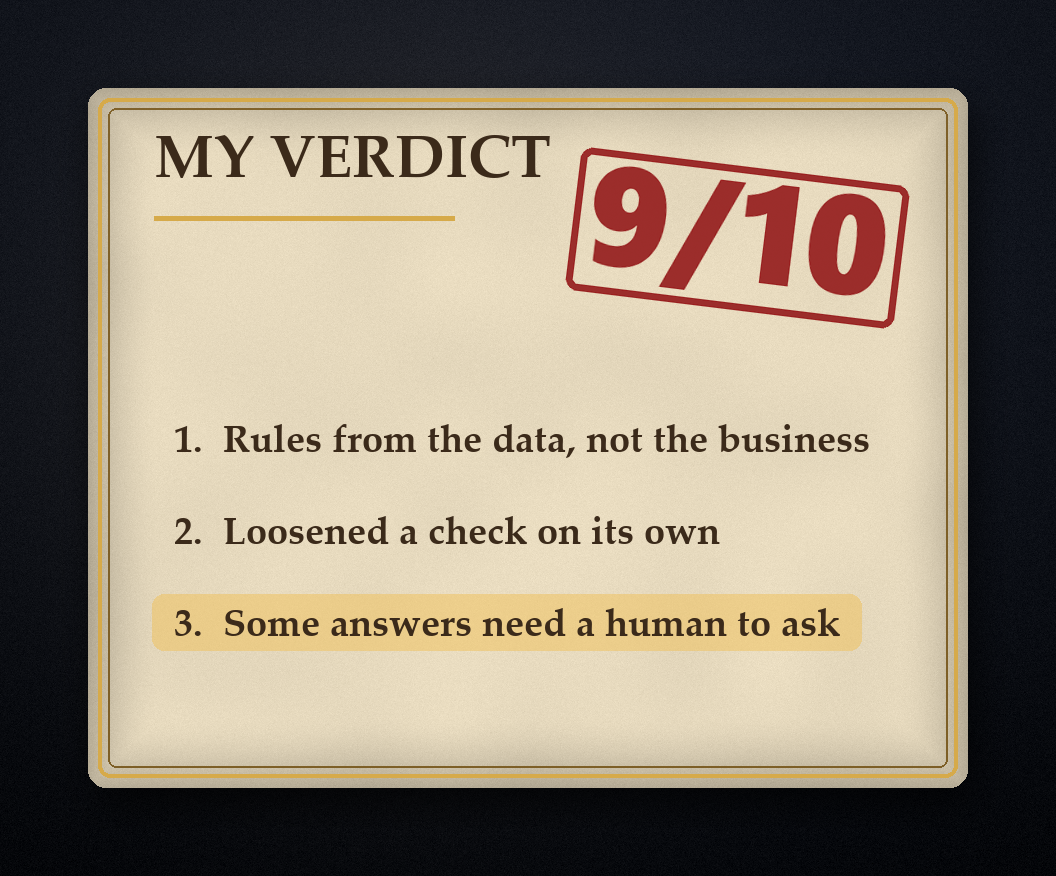
1. It wrote rules from the data, not from the business
It decided that refunded orders must always have a ship date, because every refunded order in this file had one. It allowed only US dollars and only the six countries present in the file. All true today. None of them is a rule anyone set.
SHIPPED_STATUSES = ("shipped", "delivered", "refunded")
VALID_CURRENCIES = ("USD",)
VALID_COUNTRIES = ("US", "CA", "GB", "DE", "AU", "NZ")
The day you refund an order before it ships, or start selling in Japan, the load fails and someone gets paged over a rule nobody wrote. I’ve seen this exact failure with human-written checks too: the checks describe the sample, not the business.
2. It loosened a check on its own
About 200 discounted orders were a cent off, because of how my generator rounds half-cents. The agent worked that out correctly and added a one-cent tolerance so the amount check would pass. Right call here. But that check will now ignore real one-cent errors forever, and the only record of the decision is a code comment:
AMOUNT_TOLERANCE = Decimal("0.01") # source rounds half-down on discounted linesHow much error is acceptable is a business decision. It should be written down somewhere a person signs off, not buried in a script.
3. Some answers need a human to go and ask
The quantity-50 warning was a good catch, and the agent’s own summary said to ask whoever owns the source system whether those orders are real. It can’t do that part. Whether a pattern is a bug or a big customer is a question for a person, and that’s why data checks still need an owner.
One small thing it flagged about itself: it hadn’t confirmed the suite’s exit code. I checked. It exits with code 1 when a blocking check fails, so a nightly job stops before the load. Good.
The three lines I’d add to every data quality prompt
Same prompt, plus three lines. They make the agent list every judgment call it makes, so you can check them before anything runs.
Write the rules from these business definitions, not from what you see in the file.
List every threshold and tolerance you choose, and why, before you use it.
Put them all in one config file that a human signs off.
Then paste your actual definitions underneath: which statuses need a ship date, which currencies and countries you sell in, how amounts round, and whether refunds are negative. The full version is in the download.
Where data quality checks belong in production
A standalone script like this is a fine start, and it’s how a lot of teams begin. Once the checks matter, move them to where your transformations already run.
If you use dbt, four of these seven map straight onto its built-in tests (unique, not_null, relationships and accepted_values), and the rest are a few lines each as custom tests. The dbt docs on data tests cover the syntax, and our guide to what dbt is and why data teams use it covers the rest. The checks run every time the model builds, so bad rows stop before anyone queries them.
Rule-based checks only catch what you thought to test. For the failures nobody predicted (a feed that stops arriving, a column that drifts), you want monitoring on top. Our comparison of data observability tools covers the options, from open-source dbt add-ons to full platforms.
The tooling is the easy half, though. Every judgment call in this test came down to the same gap: nobody had written down what the rule is. That’s more of an organizational problem than a technical one, and it’s the argument in why most companies get data quality wrong.
Free download: the data quality test kit
Everything from the test, free and ungated:
orders.csvandcustomers.csv, with all seven planted defects (plus the decoys)answer_key.json, the order IDs for every defect (don’t give it to your agent)prompt_v1.txt, the exact prompt from the testprompt_v2.txt, the improved prompt with a slot for your business rulesdq_checks.py, the suite Claude Code wrote, unedited
Download the data quality test kit (zip, 100 KB)
It’s licensed CC BY 4.0, so use it in your own posts, courses or tool demos with a link back to this page. The decoys matter as much as the defects. Cancelled orders with no ship date, refunds, discounted amounts that round to the cent, plus-addressed emails and those quantity-50 orders are all legitimate, and a careless suite flags them. How your agent treats them is half the test.
Plant your own bug number nine
If you run this on your own agent, these are the defects I’d add next, because they’re the ones that hurt in real pipelines:
- A timezone shift. A batch of timestamps moved by 10 or 11 hours, so orders land on the wrong day.
- A status that goes backwards. The same order exported twice, delivered in one file and pending in the next.
- A valid but wrong currency. EUR amounts on US orders, which pass any format check.
- A missing day. No orders at all for one date in the middle of the range. (The agent’s suite already checks for this, which was a nice touch.)
If you’re writing checks like these by hand, solid Python and SQL matter more than any tool. Our guide to the best Python courses for data professionals compares the options worth paying for.

Ben is a full-time data leadership professional and a part-time blogger.
When he’s not writing articles for Data Driven Daily, Ben is a Head of Data Strategy at a large financial institution.
He has over 14 years’ experience in Banking and Financial Services, during which he has led large data engineering and business intelligence teams, managed cloud migration programs, and spearheaded regulatory change initiatives.